
We automated invoice entry. The hard part was the exceptions.
Reading a PDF invoice is solved. Deciding what to do with the one that does not match the purchase order is where the work lives.
The short version
- Reading the document is a solved problem. Deciding what to do with a mismatch is not.
- Write the exception rules with the finance lead before writing any code.
- Bank detail changes must never be automatic, at any threshold.
- Measure touchless rate and exception rate, not "invoices processed".
A client was retyping roughly four hundred supplier invoices a month into their accounting system. Extraction handled the easy ninety percent within a fortnight. Then we spent as long again on the remaining forty invoices, because those are the ones that can cost you real money.
Why extraction is not the project
Modern document models read a printed or PDF invoice with field-level accuracy in the mid-nineties, and for machine-readable documents higher still. If a vendor demo impresses you, that is the part it is demonstrating. It is also the part that will not determine whether your project works.
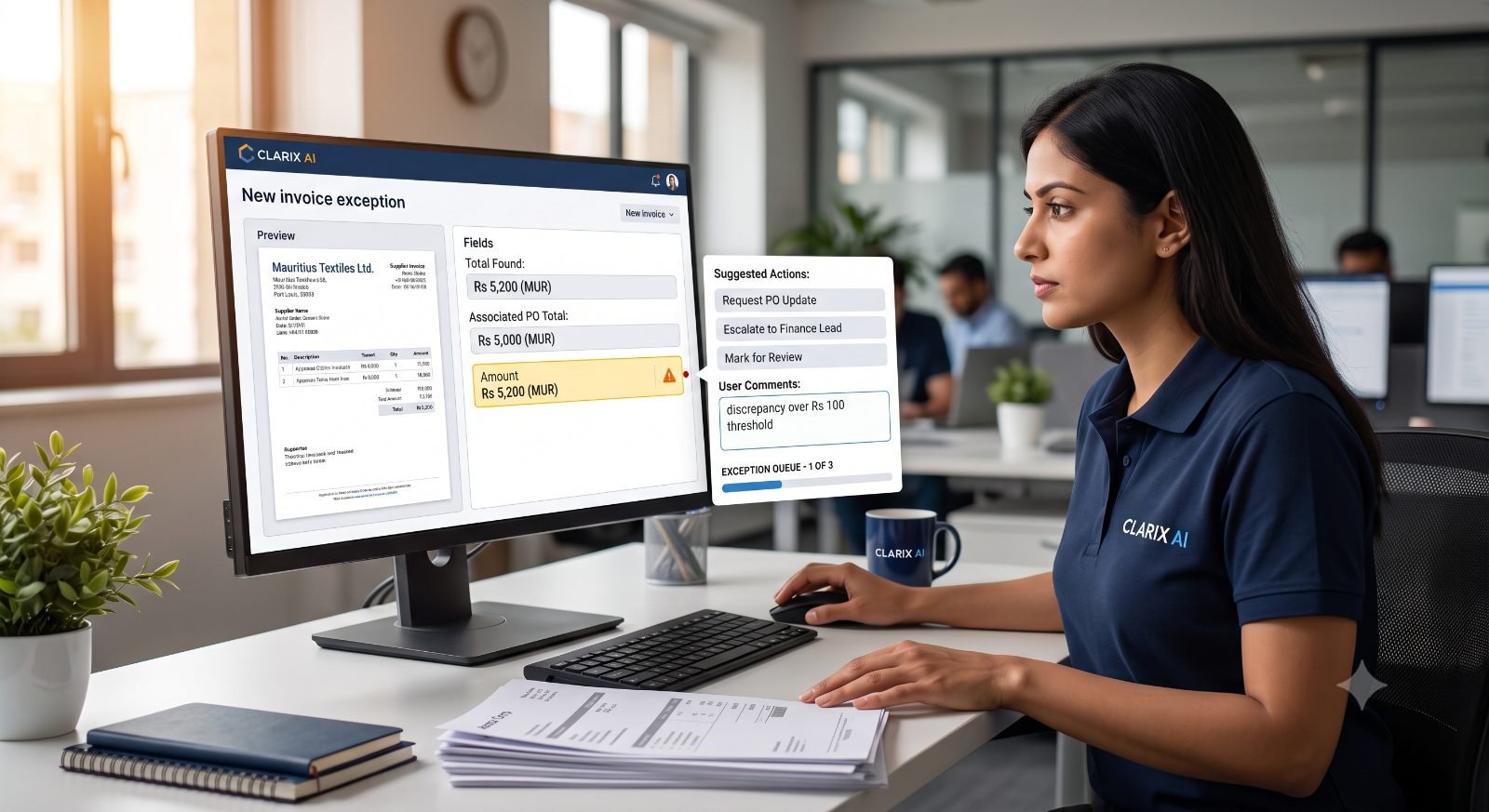
The useful design question is not "can the machine read this", it is "what happens when the total is off by two hundred rupees". Answer that badly and you have built one of two failure modes: a queue nobody trusts, so everything gets rechecked manually and you have added a step; or a system confident enough to post wrong invoices quietly, which is worse.
Good automation makes the exceptions visible. Bad automation makes them disappear quietly.
The exception taxonomy
Before designing rules, we spend a session listing every way an invoice can fail to be routine. For most SMBs the list is short and stable:
- Price variance — the unit price differs from the purchase order.
- Quantity variance — a partial delivery, or an over-delivery nobody authorised.
- No purchase order — common for services, utilities and ad-hoc purchases, and often the largest single category.
- Suspected duplicate — the same supplier, amount and date, or a re-sent invoice with a new number.
- Unknown supplier — not in the master file, or a name that is nearly but not exactly one that is.
- Changed payment details — different bank account from the one on record.
- Tax and entity errors — wrong VAT treatment, wrong legal entity, missing VRN.
- Currency and rounding — foreign-currency invoices where the posted rate differs from the invoice rate.
- Illegible or non-standard documents — photographs of paper, statements sent instead of invoices, several invoices in one PDF.
Each of these needs an owner and an action. That is the actual specification.
Designing the decision rules
We built the rules with the finance lead, in her language, and wrote them on a whiteboard before anything was configured. Roughly:
| Condition | Action |
|---|---|
| Known supplier, PO match, variance under the agreed tolerance | Post automatically, log the decision |
| Known supplier, no PO, under a value threshold, recurring category | Route to the budget holder for one-click approval |
| Variance above tolerance | Exception queue, with the PO line and invoice line shown side by side |
| Possible duplicate | Hold, show the matching earlier document |
| New supplier or new bank details | Hard stop. Human verification by callback, always |
| Extraction confidence below threshold | Exception queue, flagged as a read problem rather than a data problem |
Two design principles carried most of the weight. First, an exception must arrive with the evidence attached — the reviewer should never have to go and find the purchase order. Second, every automatic decision is logged with the rule that made it, so the finance lead can audit the machine the same way she would audit a junior.
The control that is not negotiable
A change of supplier bank details never gets applied automatically, regardless of amount, supplier history or how well the rest of the invoice matches. It goes to a person, who confirms by telephone on a number already held in the supplier record. We wrote about why in the Port Louis invoice fraud case — the attack works precisely because everything else about the document is correct.
Automating accounts payable without that rule does not just leave the risk in place. It removes the one moment of human attention that used to catch it.
How to know whether it is working
"Invoices processed" is not a measure of anything. Four numbers are:
- Touchless rate — the share posted with no human keystroke. Ardent Partners' 2025 benchmarks put the all-buyer average around 25%, with best-in-class teams at 35% and above. If your rate is low, the problem is usually PO discipline upstream, not the automation.
- Exception rate — top performers sit near 9%, against an industry average of 22%. A falling exception rate over the first three months means the rules are learning your suppliers.
- Cost per invoice — the widely cited manual figure is around US$12–13, with best-in-class automated teams near US$2.80. Treat those as direction, not as a promise: they come from larger AP functions than most Mauritian SMBs run.
- Cycle time — best-in-class teams close in about 3 days against 17 for everyone else. For our client the value was not speed for its own sake; it was catching pricing errors while the supplier still remembered the order.
A four-week rollout that finance will trust
- Week one — observe. Run extraction in parallel with the existing manual process. Post nothing. Compare the machine's output against what the person keyed, and count the differences.
- Week two — rules. With the finance lead, set tolerances, thresholds and the exception taxonomy above. Agree who owns each queue.
- Week three — supervised. The machine proposes, the person approves. Every decision is visible. This is where the trust is built, and skipping it is the most common reason these projects stall.
- Week four — live, narrowly. Turn on automatic posting for the safest category only. Widen it monthly, on evidence.
When we tell people not to automate this
If you process fewer than about eighty invoices a month, the payback is thin and the honest advice is to fix the intake process instead — one email address for invoices, a consistent file naming rule, and PO discipline. If your supplier master file is unreliable, clean it first; matching against bad reference data produces confident nonsense. And if there is no named person who will own the exception queue, do not start. The queue is the system.
This is the same argument we make about chatbots: the technology is rarely the constraint, the underlying process usually is.
What changed
The person who used to do data entry now reviews the exception queue for about twenty minutes a day and spends the rest of her time on supplier queries. That was the point. Nobody lost a job; the job got better — and the business now finds pricing discrepancies it was previously paying without noticing.
Frequently asked questions
Does this work with our accounting system?
Usually. Anything with an API or a supported import format can be driven. Where a system is closed, we typically produce a validated import file rather than pretending to integrate.
What about invoices that arrive as photographs on WhatsApp?
They can be read, with a lower confidence threshold and more exceptions. The better fix is usually a single invoices@ address and a polite note to the suppliers concerned.
Do we need to change our purchase order process?
Not necessarily, but PO coverage is the single biggest determinant of your touchless rate. If most spend has no PO, expect a lower ceiling and design the approval routing accordingly.
How do you price this?
Fixed scope for the build, then a small monthly figure for monitoring and rule tuning. We start with a free process review — an hour, and you keep the write-up.
Sources
- Ardent Partners, Accounts Payable Metrics That Matter in 2025 / State of ePayables 2025 — cost per invoice, cycle time, exception and straight-through processing rates.
- IOFM and Levvel Research benchmarks, 2025 — field-level extraction accuracy and manual keying error rates.